
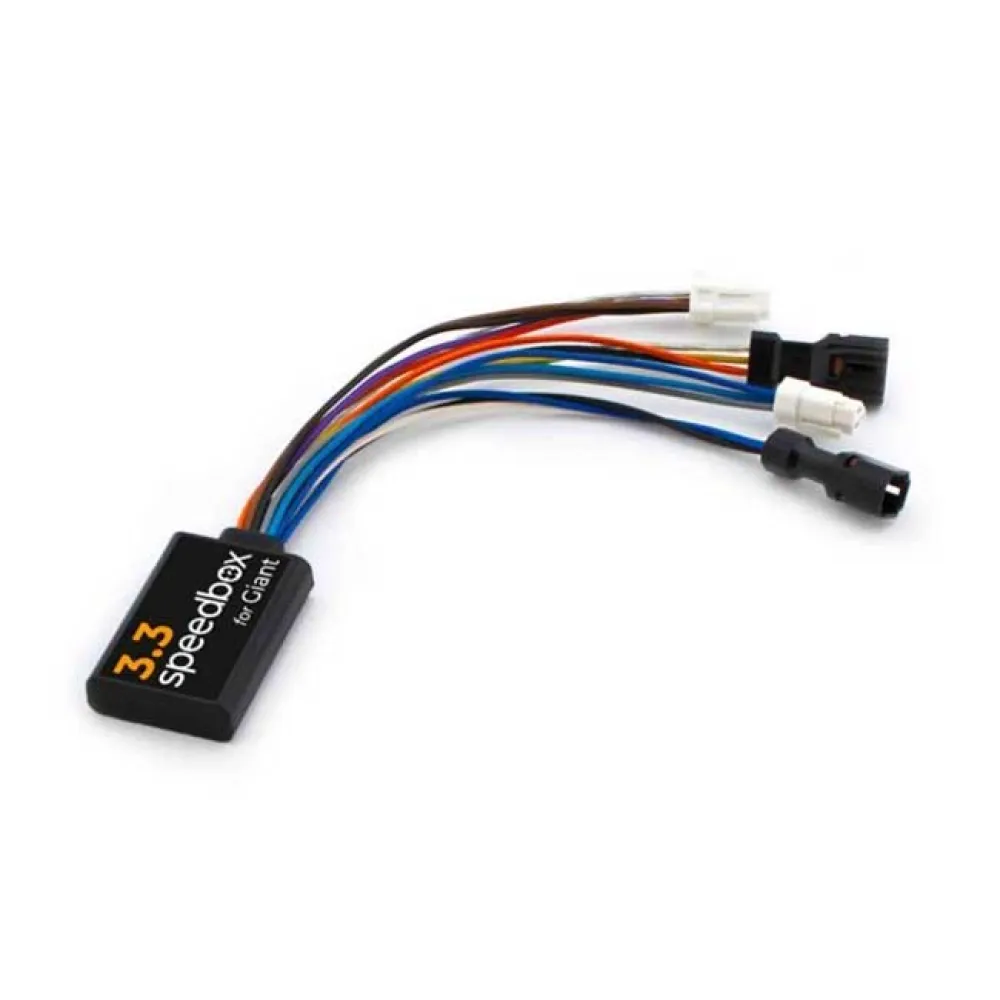
Description
The SpeedBox 3.3 chip disables the bike´s speed limit. After installing the chip, you can view real-time values such as maximum speed, average speed, daily mileage, and range.
Features:
How does SpeedBox 3.3 work for Giant:
– Activation/deactivation should always be done before riding, not during the ride.
– To activate the SpeedBox chip, briefly activate the WALK function on the e-bike´s control unit. The e-bike´s display will briefly show 5.0 km/h (3.1 mph), and from then on, you can ride at a speed of 50 km/h. You can change the default speed limit to any limit (up to 99 km/h), but to minimize the risk of error codes, we recommend not exceeding 50 km/h.
– To deactivate the chip function, reactivate the WALK function. The display will show 2.5 km/h (1.6 mph), and the 25 km/h speed limit will be activated again. The e-bike operates the same as before installing the chip.
– We´re also prepared for e-bikes that don´t have a classic control panel with a Walk button. In this case, simply use the button combination – + – + to activate SpeedBox. You can also deactivate it.
– To set the maximum speed, you can switch between the following modes: Turbo – EMTB – Tour – Eco – Tour – EMTB – Turbo. The current speed limit will then be displayed. To change the maximum speed, briefly press the WALK button or turn the wheel 360°. 1.5 km/h on the display corresponds to the 15 km/h limit, 2.0 corresponds to the 20 km/h limit, 2.5 corresponds to 25 km/h, 3.0 corresponds to 30 km/h, 5.0 corresponds to 50 km/h, etc. The last displayed limit is saved after five seconds of inactivity.
– When using the SpeedBox, the e-bike must be switched on after the end of the ride until the display shows a constant 0.0 km/h. During this phase, the display will show the remaining time. You can then safely switch off the bike and look forward to the next ride.
– If you want a SpeedBox on a new bike, you must first ride at least 10 km.
Specifications:
– Maximum speed: Unlimited (We recommend not exceeding the preset limit of 50 km/h)
– Speed Limit Setting: Yes
– Values on the screen: Real-time values
Activation/deactivation:
– Walk function
– Button combination – + – +
Compatible with:
– SyncDrive Pro 2 (85 nm) and RideControl Go
– SyncDrive Sport 2 (75 nm) + RideControl Dash
Reviews
There are no reviews yet.